
Map: Org structure
How Colabra builds an entity graph from your documents
Entities are extracted from every file as it is processed. Each mention of a company, person, facility, or jurisdiction is captured, normalised, and linked into a growing graph.
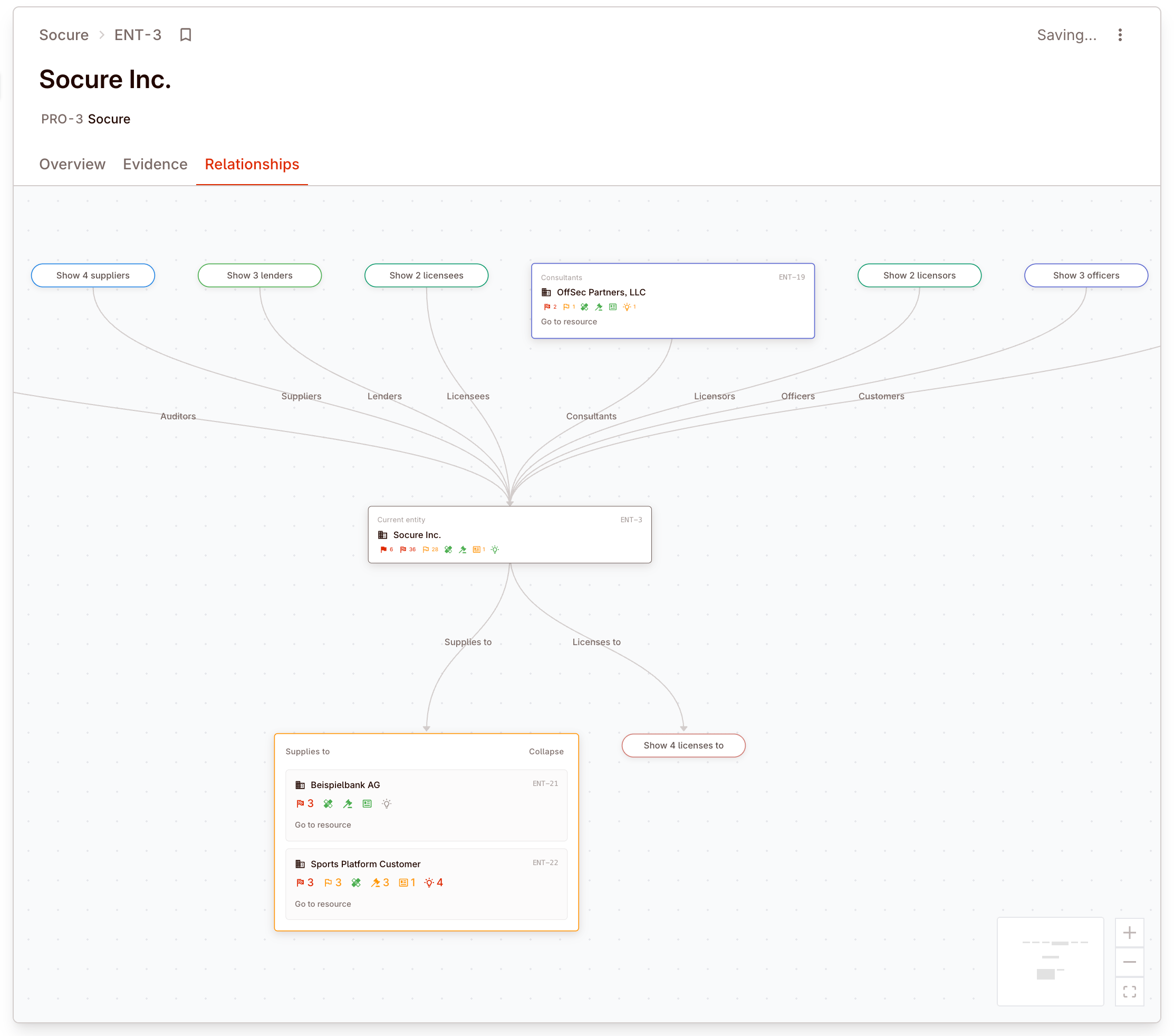
This happens automatically. As more files are uploaded, the entity map becomes richer — new relationships appear, ownership chains extend, and the picture of the target’s corporate structure takes shape without manual assembly.
The org chart emerges from the evidence
Real deal example: build structure from scattered references
A target may appear in one set of board minutes, another in a loan agreement, and another in a cap table. The entity map is valuable because it pulls those partial views into one graph the team can actually reason about.
Organisations, people, facilities, jurisdictions
The entity graph includes four primary types:
| Entity type | What it covers |
|---|---|
| Organisations | Companies, subsidiaries, joint ventures, funds, and other corporate bodies. |
| People | Directors, officers, shareholders, key employees, and counterparty contacts. |
| Facilities | Offices, plants, warehouses, and other physical locations mentioned in the evidence. |
| Jurisdictions | Countries, states, and regulatory territories relevant to the entity’s operations or legal exposure. |
Each entity carries normalised and display names, jurisdiction data, legal form information, and linked evidence counts showing how many files reference it.
Ownership chains and governance relationships
The entity graph captures multiple relationship types:
| Relationship | What it shows |
|---|---|
| Ownership | Who owns what, with percentage stakes where available |
| Governance | Board seats, officer roles, committee membership |
| Financing | Lending relationships, credit facilities, guarantors |
| Advisory | Legal, accounting, and consulting relationships |
| Commercial | Customer, supplier, and partner relationships |
| Licensing | IP licensing arrangements between entities |
| Partnerships | Joint ventures and partnership structures |
Ownership chains are particularly valuable for understanding control. A target may appear to be a single company, but the entity map reveals a hierarchy of subsidiaries, minority stakes, and cross-holdings that affect the deal structure.
The graph view visualises these relationships, making it possible to trace ownership from the ultimate parent through intermediate holding companies to operating subsidiaries.
Perimeter: included, excluded, and unscoped
Colabra lets you set entity scope directly from the entity menu:
- Include in perimeter when the entity sits inside the deal scope.
- Exclude from perimeter when the entity is known but explicitly outside scope.
- Clear perimeter status when you want to remove that decision and leave the entity unscoped.
| Status | What it means |
|---|---|
| In perimeter | The entity is treated as part of the transaction scope and should be included in the team’s main review lens. |
| Excluded | The entity remains visible for relationship context, but it is explicitly out of scope for the deal perimeter. |
| Unscoped | The entity was discovered from the evidence, but the team has not marked it in or out. |
Perimeter status affects how your team reads the graph:
- Entity views and filters can focus on entities that are in perimeter rather than every company or person mentioned in the evidence.
- Ownership and control analysis becomes easier because you can separate the target structure from neighbouring but excluded entities.
- Risk review stays grounded in the actual deal scope, while still preserving excluded entities for context.
- Reports and discussions can distinguish in-scope entities from carve-outs, retained businesses, and other out-of-scope relationships.
Perimeter status does not delete an entity or break its relationships. It adds scope context on top of the entity graph so the team can reason clearly about what is actually inside the transaction.
Resolving duplicates and conflicts
The same entity often appears under different names across documents — a company’s full legal name in one contract, a trading name in another, and an abbreviation in a third.
Colabra normalises entity names and merges duplicates automatically. When the same organisation is referenced differently across files, the system links them into a single entity node with all associated evidence.
In cases where automatic merging is uncertain, the entity is presented as a candidate for manual review. Check entity evidence counts and linked files to confirm whether two entries represent the same underlying organisation or person.