
Comments and activity
Threaded discussions in context
Use comments on projects, files, entities, tasks, and requests to keep discussion attached to the work. For a finding, record the reasoning on its source file or owning task so the evidence remains clear.
When you leave a comment on a file, it stays attached to that file. When you discuss a finding on its source file or task, name the issue and cite the relevant passage. When you comment on a task, the work item and its linked evidence are one click away.
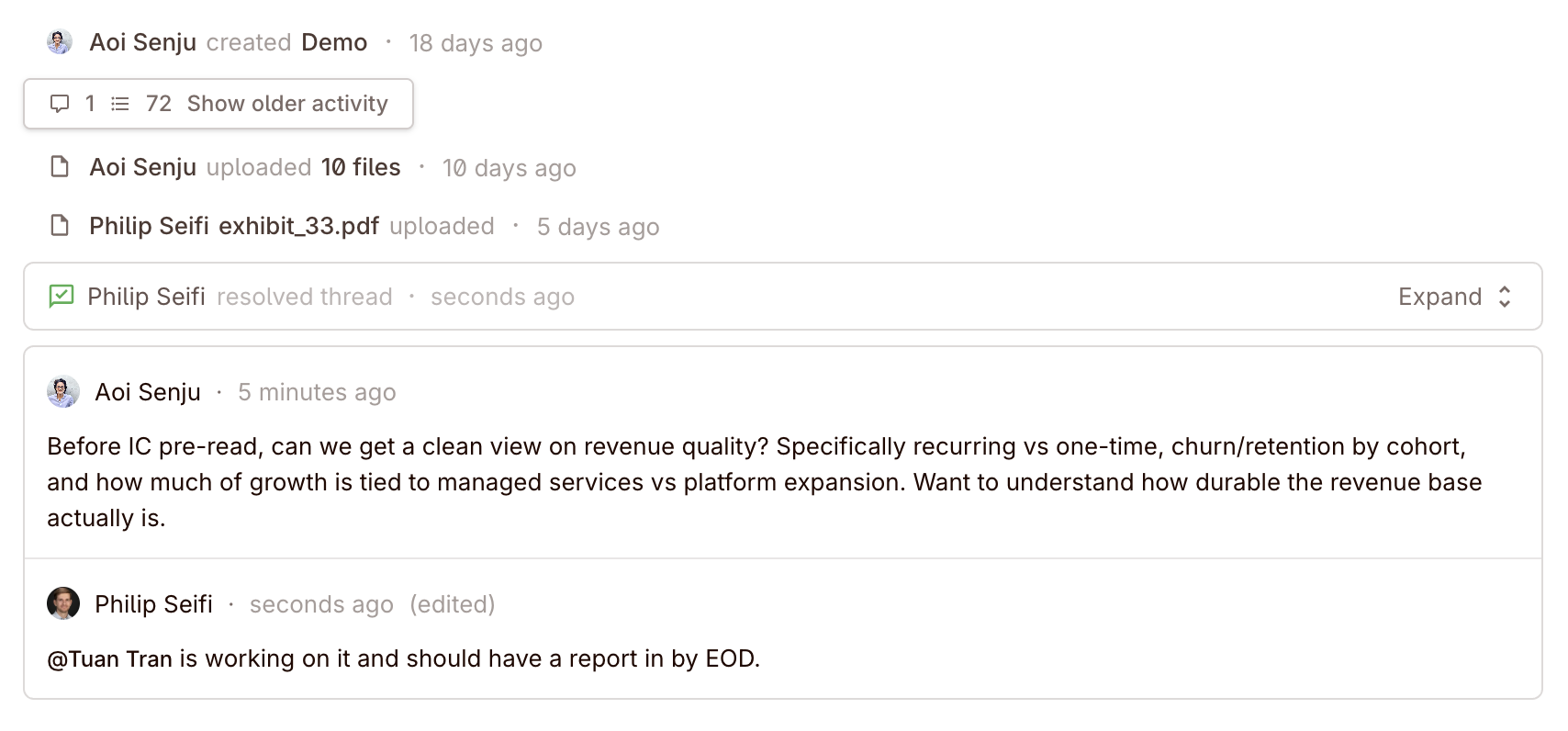
Threaded replies keep related discussion grouped. This prevents the problem where a flat comment stream makes it impossible to follow which response relates to which point.
Keep the judgement next to the evidence
Example workflow: no more “what happened here?”
If a partner decides that a consent right is acceptable in context, that judgement is useful only if it stays attached to the finding or file that triggered it. A side-channel message may be faster in the moment, but it disappears from the actual diligence record.
Using comments as context history
Comments create a time-stamped record of observations, reasoning, and follow-up. This matters for two reasons:
During the deal. When a team member joins the project midway through diligence, they can read the comment threads to understand what was reviewed, what was said, and what still needs follow-up. This is faster and more reliable than asking around or re-reading documents.
Later on. The comment history shows what was known, when it was discussed, and how the team interpreted the evidence at the time.
Keep important context in comments, not in side channels. A Slack message or email that explains why a file mattered has no connection to the evidence. The same explanation in a Colabra comment, attached to the specific object, stays with the diligence record.
Workspace audit log
Colabra also exposes a fuller workspace-level audit log in settings.
That view complements object-level comment threads. Comments tell you the discussion on a file, finding, task, or report. The audit log tells you what changed across the workspace, who did it, and when it happened.
Use it when you need:
- Access history — who changed membership, roles, or other controlled settings.
- Operational traceability — which actions happened across the workspace, not just inside one comment thread.
- Exportable records — the audit log can be exported as CSV for compliance, security review, or internal record-keeping.
The two layers work together:
- Comments for evidence-linked discussion and follow-up.
- Audit log for broader operational history and oversight.