
Sort: Automatic classification
The moment a file enters the pipeline, Colabra classifies it into a specific category and subcategory. Classification is automatic and gives the team a consistent way to label, scan, and filter files in the evidence list.
Each category has its own icon and colour in the app, so you can scan a file list at a glance.
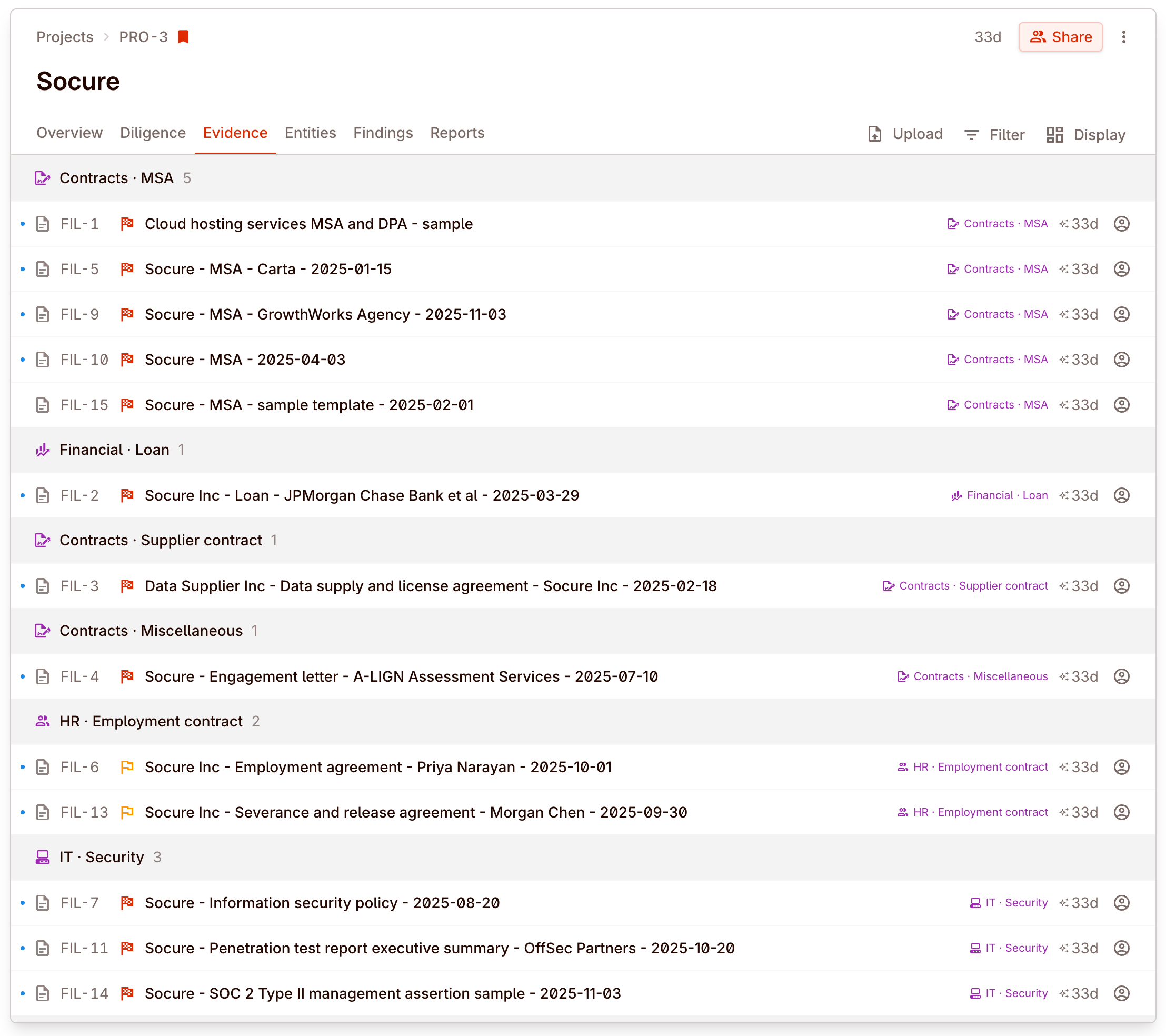
Top level category list
| Category | What it covers |
|---|---|
| Corporate | Formation docs, bylaws, minutes, org charts |
| Contracts | Agreements, amendments, schedules, side letters |
| Financial | Statements, management reports, projections |
| Tax | Returns, filings, opinions, transfer pricing |
| HR | Employment agreements, policies, headcount |
| IP | Patents, trademarks, licences, trade secrets |
| IT | Systems docs, security policies, infrastructure |
| Regulatory | Permits, licences, regulatory filings |
| EHS | Environmental, health, and safety |
| Commercial | Customer and supplier agreements, revenue |
| Operations | Procedures, supply chain documentation |
| Real estate | Leases, deeds, surveys, property records |
| Insurance | Policies, claims history, certificates |
| Litigation | Pleadings, settlements, legal opinions |
| Communications | Emails, memos, internal correspondence |
| Transaction | Deal documents, LOIs, term sheets |
| Separation | TSAs, separation plans |
| Miscellaneous | Docs that don't fit a specific category |
Sorting is what makes the first pass usable
Real deal example: reviewers start from lanes, not from a flat file dump
After a large upload, legal reviewers want to look at contracts, finance wants statements and schedules, and compliance wants regulatory material. Automatic classification is what turns one incoming batch into reviewable lanes instead of one undifferentiated evidence list.
File formats and limits
The file-format matrix and the practical upload and preview limits now live in File formats and limits.
That page covers:
- which formats are parsed vs. previewed
- which formats are only recognized or display-only
- upload, parsing, and preview size limits
- spreadsheet row, sheet, and cell safety limits
Reviewing and correcting classification
Classification is accurate in the vast majority of cases, but edge cases exist — a document labelled “miscellaneous” might actually be a key commercial agreement, or a financial report might be categorised as corporate.
Check the classification assigned to each file from the files tab. If the AI miscategorised a file, correct it so the evidence list reflects the right label for the team.