
Reconcile: Gap analysis
What gap analysis actually does
Gap analysis is task-scoped. It answers a narrower and more useful question than “is the whole data room complete?”: Based on the evidence linked to this diligence task, do we have enough support to complete the review confidently?
The output in the product is:
- one short summary paragraph
- one verdict
- citation-backed support for the evidence that is present
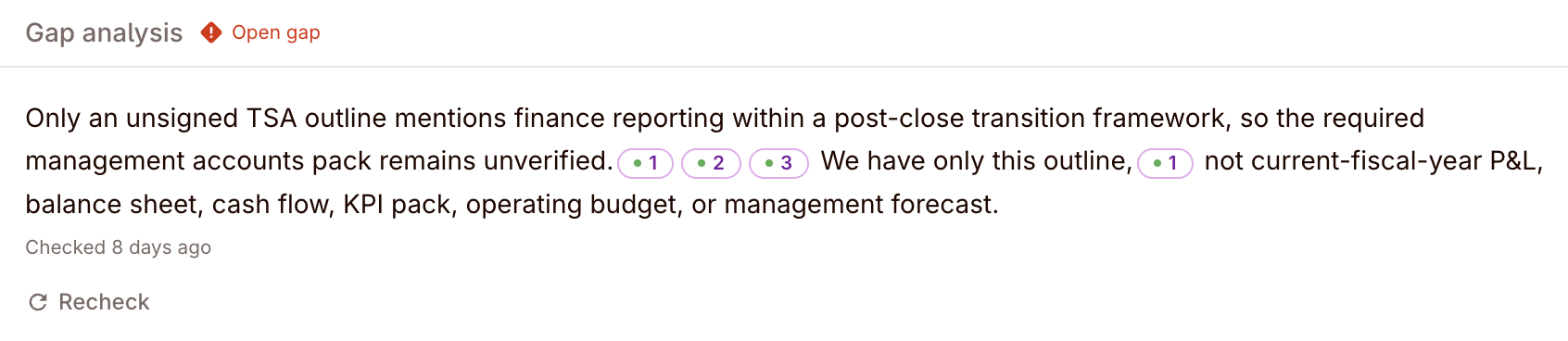
The missing support is often task-specific
Real deal example: the files exist, but not on the task
A project may already contain customer agreements and amendment files, but a task like “Review assignment and change-of-control exposure” is still under-supported until those specific agreements are linked to the task. Gap analysis reflects the task’s linked evidence set rather than assuming every uploaded file is already in scope.
How it works
Gap analysis compares:
- the task intent
- the evidence linked to that task
- what that evidence appears to cover versus what is still missing
If no evidence is linked, the task stays effectively open and the UI tells the reviewer to link evidence to trigger gap analysis. If some evidence is linked but coverage is still incomplete, the summary explains where support is thin, conflicting, outdated, or absent.
This is not a generic “expected documents by category” engine. It is a task-level coverage judgement on the actual linked evidence.
Gap verdicts
Gap analysis uses three verdicts:
| Gap status | Meaning |
|---|---|
| Open gap | No meaningful evidence is linked, or the missing support is large enough that the task cannot yet be completed with confidence. |
| Partial coverage | Some relevant evidence is linked, but the support is still incomplete, thin, conflicting, outdated, or missing a key artifact. |
| Satisfied | The linked evidence appears sufficient for that task’s review question, so the gap is no longer blocking progress. |
These are task verdicts, not project-wide category verdicts.
Evidence, citations, and recheck
When the gap summary cites linked evidence, the reviewer can open those citations back to the underlying file context.
That makes the operating loop simple:
- link the relevant evidence to the task
- read the gap summary and verdict
- decide whether the linked support is enough
- if new files are linked later, use Recheck to refresh the task-level analysis
Gap analysis is therefore closer to “do these linked files cover this review question?” than to “how many documents do we have in this workstream?”
Generating requests to fill gaps
Gaps are most useful when they become action. Convert missing support directly into external requests tied to the task.
This closes the loop between “the task still lacks evidence” and “we asked for the specific document or clarification needed to move the verdict.”
The recommended pattern:
- Link the relevant evidence to the task.
- Review the gap verdict and summary.
- Create requests for the specific missing support that matters.
- Track responses through the request thread.
- Recheck the task after new evidence arrives.