

OpenAI Codex
What you need
- a Codex environment that supports remote HTTP MCP
- your Colabra account
- the production remote MCP URL:
https://api.colabra.ai/mcp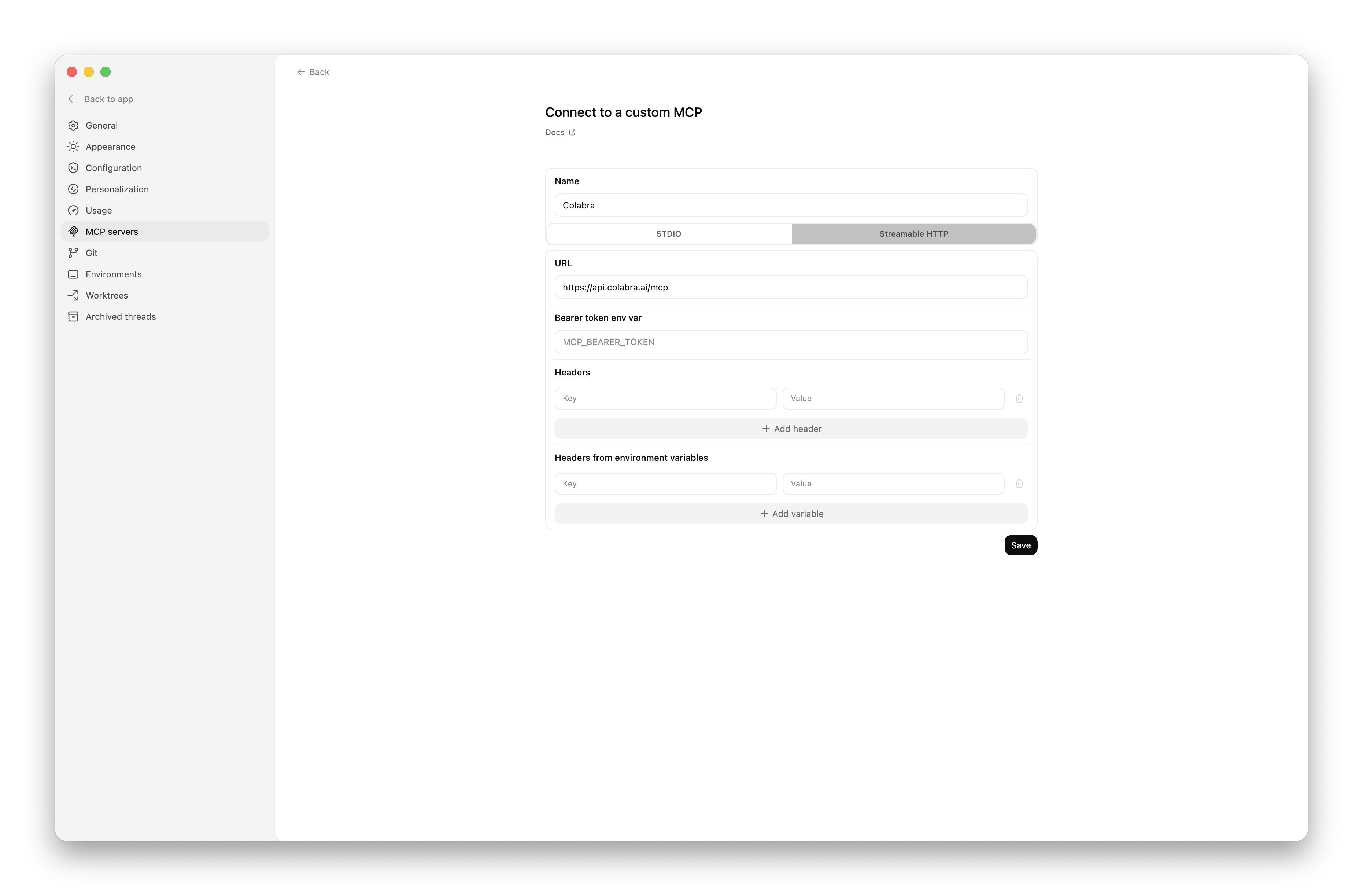
When to use Codex with Colabra
Codex is most useful when an agentic workflow needs direct deal context while it is doing broader work elsewhere in the session. That could mean reading source evidence before drafting a memo, checking live findings while preparing automations, or writing comments and reports back into the project.
An agent works from the live diligence record
Real deal example: automation or drafting with evidence access
An operator is building an internal workflow around diligence status and wants the agent to inspect open requests, review file-backed findings, and draft a project update. Codex can do that inside the same session once Colabra is connected over MCP.
Setup
- Open Settings → MCP servers in Codex.
- Choose Connect a custom MCP.
- Set the name to
Colabra. - Select Streamable HTTP, not
STDIO. - Paste
https://api.colabra.ai/mcpinto the URL field. - Leave headers empty unless your Codex build explicitly asks for manual auth details.
- Save the server and complete the Colabra sign-in or approval flow if Codex prompts for it.
Result
Codex can then read and write against the MCP surface with your Colabra account context.
Good prompts are operational, not abstract: ask for the unresolved queue, the evidence behind a finding, or a draft update that should be written back into Colabra.