
Generating reports
What the report wizard does
The report wizard is the fastest way to turn the live diligence system into a reviewable written output.
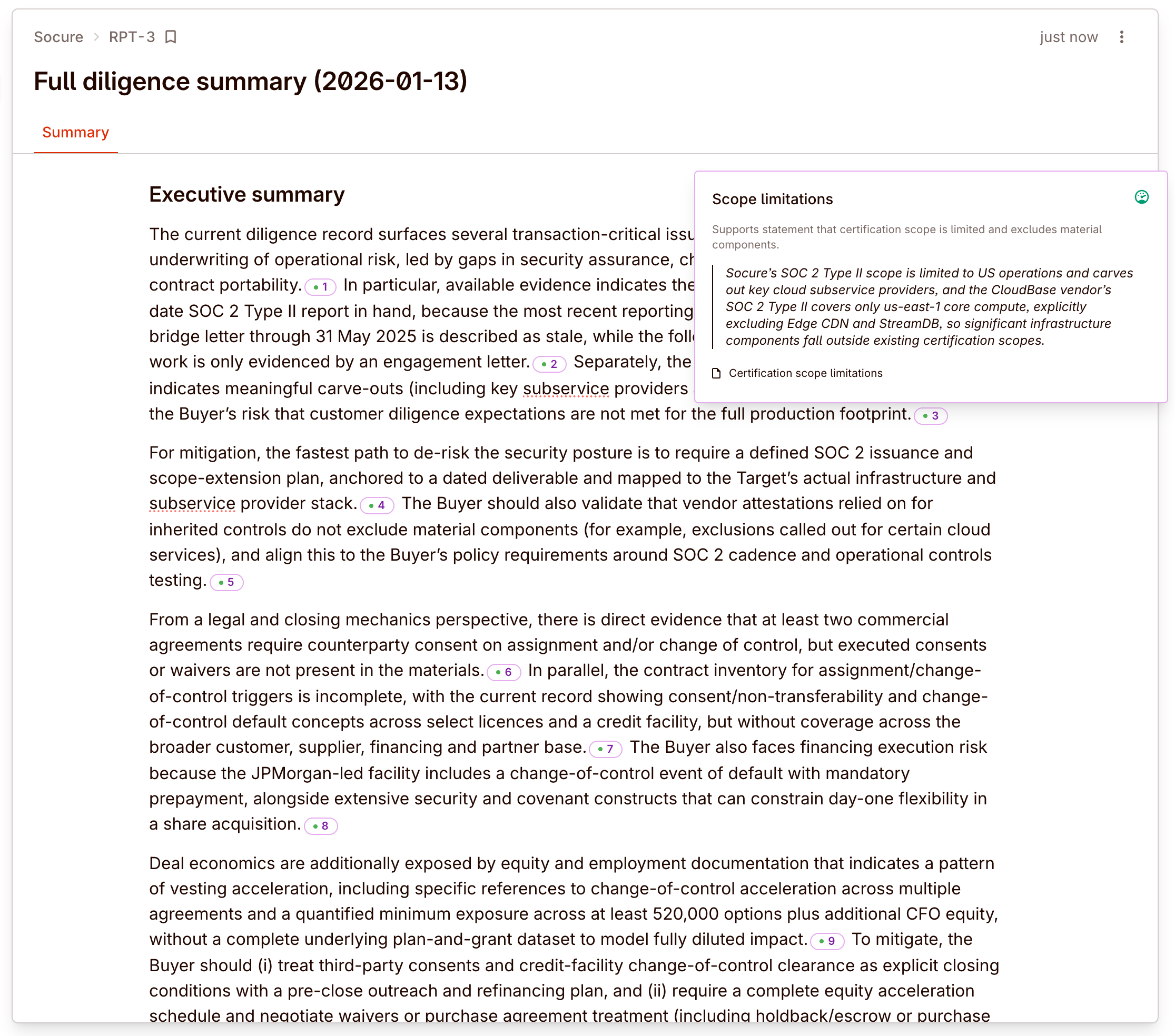
It follows three steps:
- Report type — choose the built-in report you want
- Sections — keep the default sections or trim the report down
- Options — add focus instructions, then generate
The output is a draft report inside Colabra. It is meant to be reviewed and edited before final distribution.
That draft is not just a static AI output. The team can keep editing the same report collaboratively inside Colabra, refine the language, tighten recommendations, and bring in judgement before treating it as final.
The draft also stays cited. Statements in the generated report carry inline evidence citations, so reviewers can inspect the supporting source material directly from the report instead of re-tracing the narrative by hand.
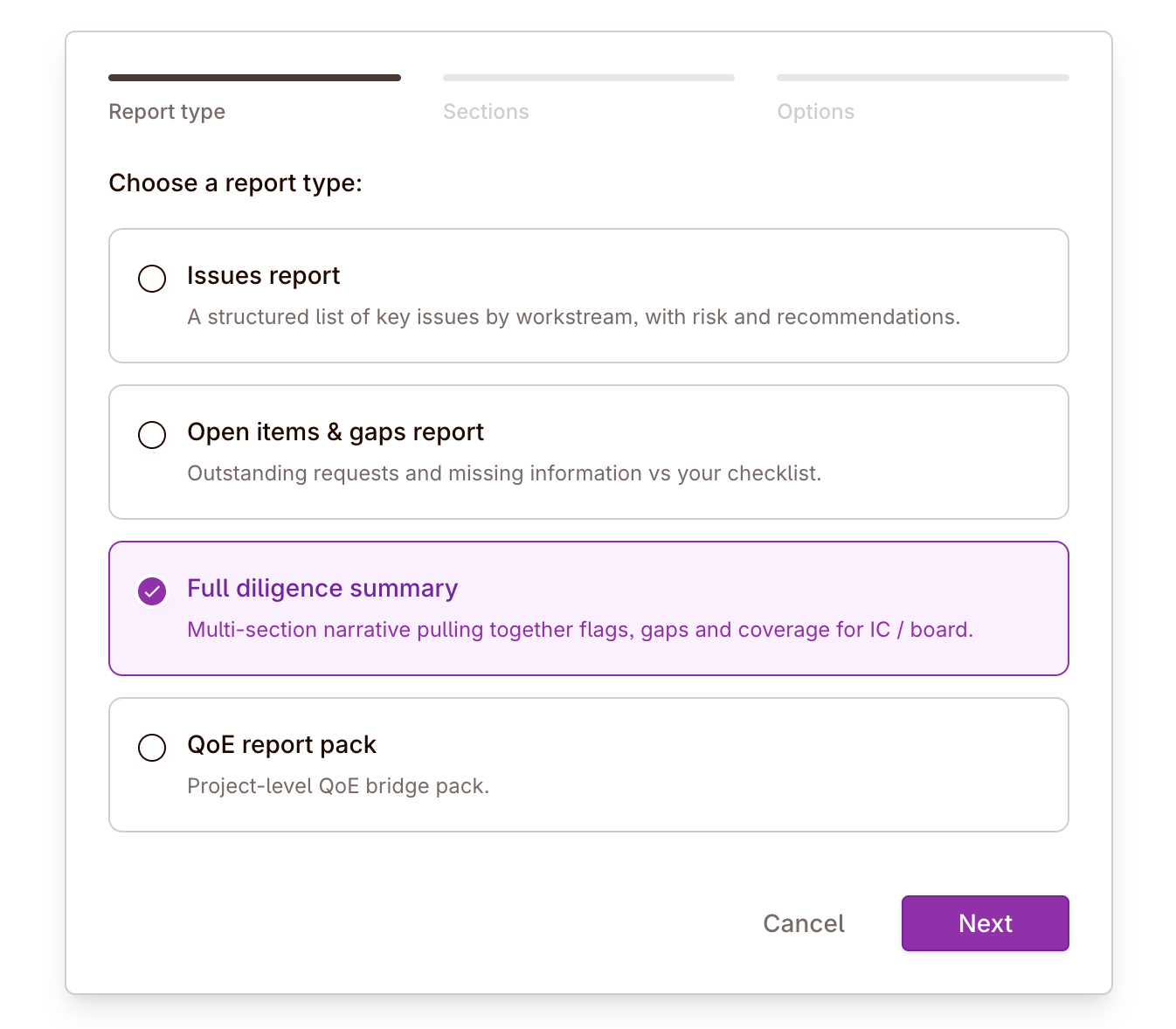
From working queue to first draft
Real deal example: move from triage to a board- or partner-ready draft
After a week of live review, the team has findings, requests, and gap status inside the project but still needs a memo. The report wizard is the bridge between those live objects and a draft document a reviewer can react to.
Built-in report types
The product exposes four built-in report types:
| Report type | Best for | What it contains |
|---|---|---|
| Issues report | Standard red-flag diligence output | Executive summary plus issue sections by workstream with risk and recommendations |
| Open items & gaps report | Tracking missing evidence and unresolved asks | Gap coverage, critical gaps, open items by workstream, and recommended next steps |
| Full diligence summary | Broader IC / board-ready summary | Narrative summary across findings, gaps, mitigations, and recommendations |
| QoE report pack | Project-level QoE work | QoE-specific deterministic sections and evidence-backed narrative |
Choose the report type by audience first. That usually makes the rest of the wizard easier:
- use Issues report when the reader wants concentrated risk and recommended action
- use Open items & gaps report when the reader cares most about what is still missing
- use Full diligence summary when the reader wants a broader narrative of the deal state
- use QoE report pack when the financial workstream is the main product
How section selection works
After choosing the report type, the wizard shows the sections available for that template.
You can:
- keep the default sections
- select all
- clear all
- include only the sections that matter for the audience
That matters because the report type defines the starting structure, but the final document does not have to include every possible section.
Focus instructions
The final wizard step accepts focus instructions.
Use them when you want the draft to emphasize a specific diligence angle, for example:
- concentration and renewal risk
- change-of-control and assignment clauses
- unresolved tax exposures
- evidence gaps still blocking sign-off
Focus instructions guide the narrative sections. They do not change the underlying evidence, findings, or selected sections.
Good focus instructions are short and directional. They tell the draft what to emphasize, not what facts to invent.
What a good first pass looks like
Recommended default:
- choose the closest built-in report type
- keep the default sections on the first pass
- add one short focus instruction if the audience has a clear priority
- generate
- review and edit the draft with the team
- change the report from Draft to Filed when it is ready to lock as the final version
Reports vs. exports
Use the report wizard when you want a narrative document.
Use Excel exports when you want a structured workbook for offline analysis, downstream modeling, or backup working papers.
Review before distribution
Generated reports are starting points, not final memos.
While a report is in Draft, the team can continue editing it inside Colabra. When the wording and conclusions are settled, change the report status to Filed. Filing turns the draft into the locked version of record.
Because the report text is citation-backed, review is not just a style pass. It is a source check. Use the inline citations to confirm that the key claims still reflect the underlying evidence and that the draft is not over-stating what the diligence record actually supports.
Before sending outside Colabra:
- verify the key claims against the source evidence
- remove sections that are irrelevant to the audience
- tighten wording where your team’s judgement differs from the model’s first pass
- confirm that the unresolved gaps and highest-severity findings are represented accurately
The draft is valuable because it starts from the live diligence record. The final memo is valuable only after a reviewer applies judgement to that draft.