
Workspace administration
Member management, groups, and roles are covered in Assembling your team, since they are part of how teams collaborate inside diligence rather than a separate operational workflow.
Workspace administration is the layer that quietly shapes every new deal. Good workspace setup makes projects feel consistent; weak setup forces each deal team to rebuild the same conventions from scratch.
Custom properties
Colabra supports workspace-level customisation that flows into every project:
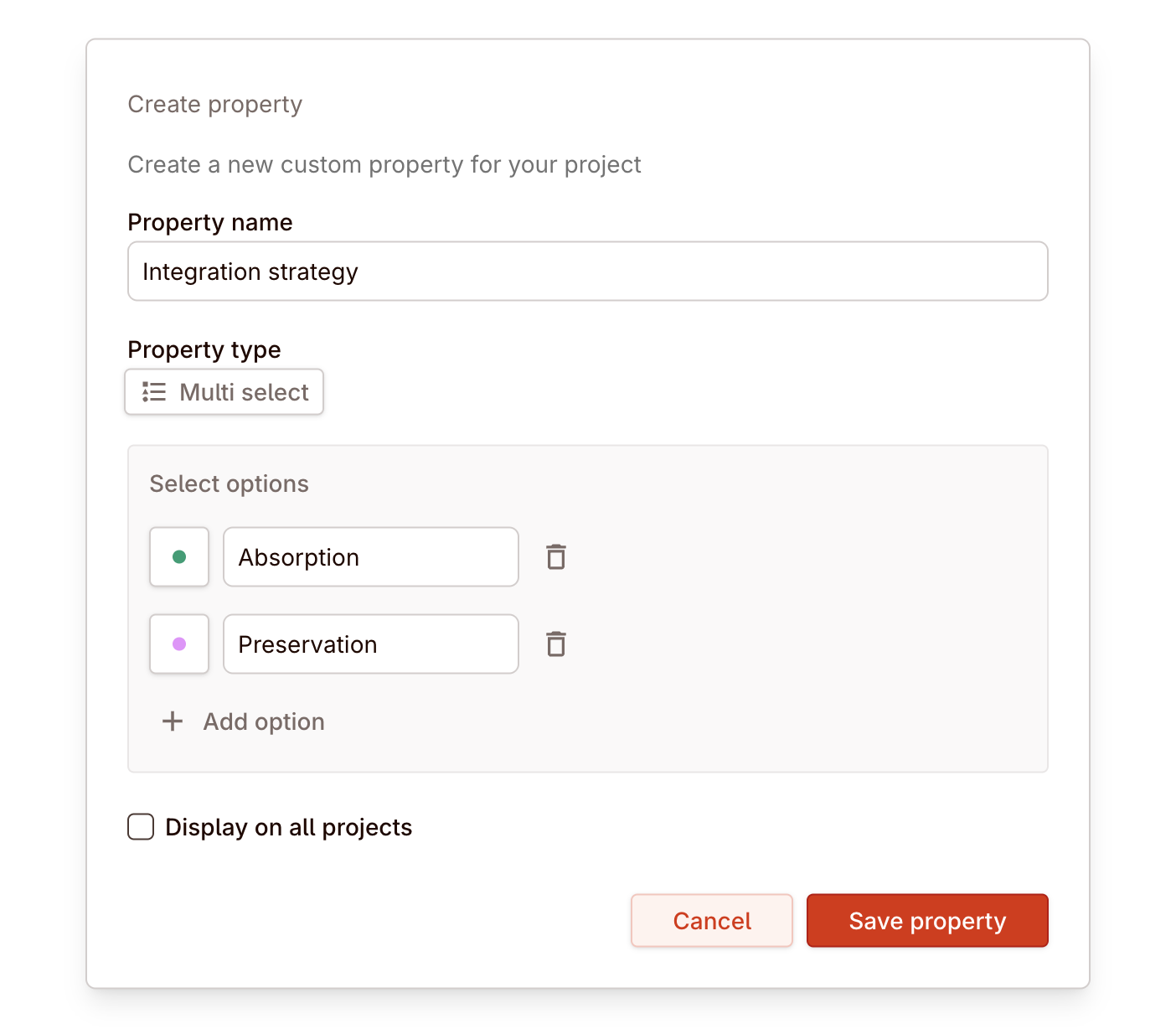
Custom properties let you define additional metadata fields for projects, tasks, files, and entities beyond the defaults. If your firm tracks deal stage, industry vertical, or expected close date as standard fields, define them once and they appear in every project.
For reusable writing presets and manual drafting scaffolds, see Templates.
Configure once, use on every deal
Real deal example: firm-specific metadata and workflow
If your team always tracks sector, deal lead, or investment committee date, define those properties at the workspace level. That keeps portfolio reporting, views, and project setup consistent instead of relying on every team to remember the same manual convention.
Workflow configuration
Configure the workflow statuses and transitions that tasks move through in your projects. The default set covers common diligence states, but you can customise it to match how your team actually tracks work — adding review stages, approval gates, or domain-specific states.
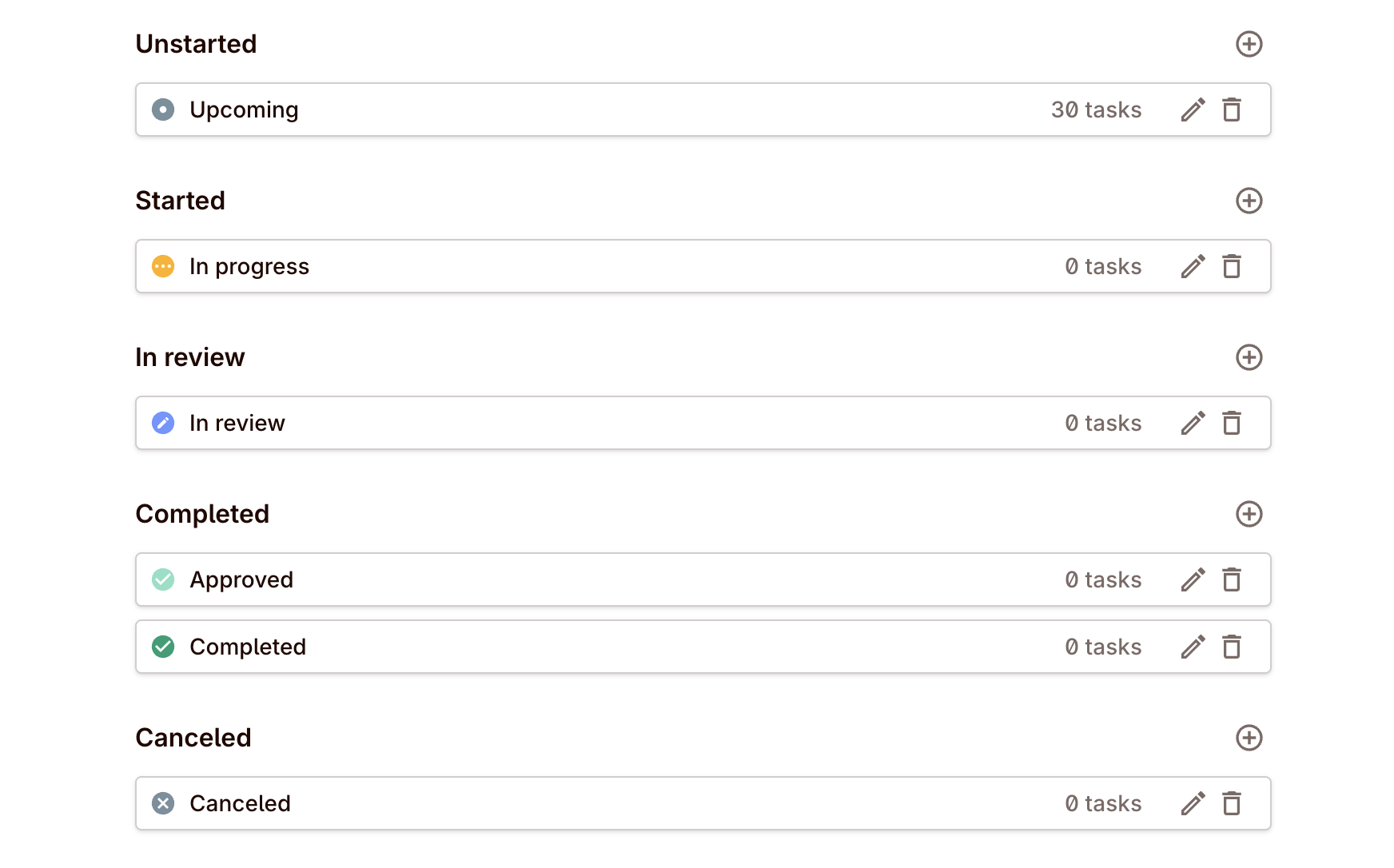
Workflow configuration is workspace-scoped, so all projects within the workspace share the same status model. This keeps reporting and views consistent across deals.
SSO, security, audit log
SSO. Connect your identity provider so team members authenticate through your existing infrastructure.
Security. Workspace settings include security controls for data handling, access management, and operational requirements. See Diligence settings for the full set of operational security guardrails.
Audit log. Every significant action in the workspace — member changes, setting updates, project modifications — is recorded in the audit log. Use it for compliance, accountability, and understanding who changed what and when.
The practical rule is simple: set the firm-wide operating model here, then let projects inherit it. Only push project teams into one-off setup when the transaction really differs from the default.