
Setting up a deal
Creating a project
The workspace is your team boundary. The project is the deal boundary. Most of the product only becomes useful once the project exists — files, tasks, reports, findings, and entities are all project-scoped.
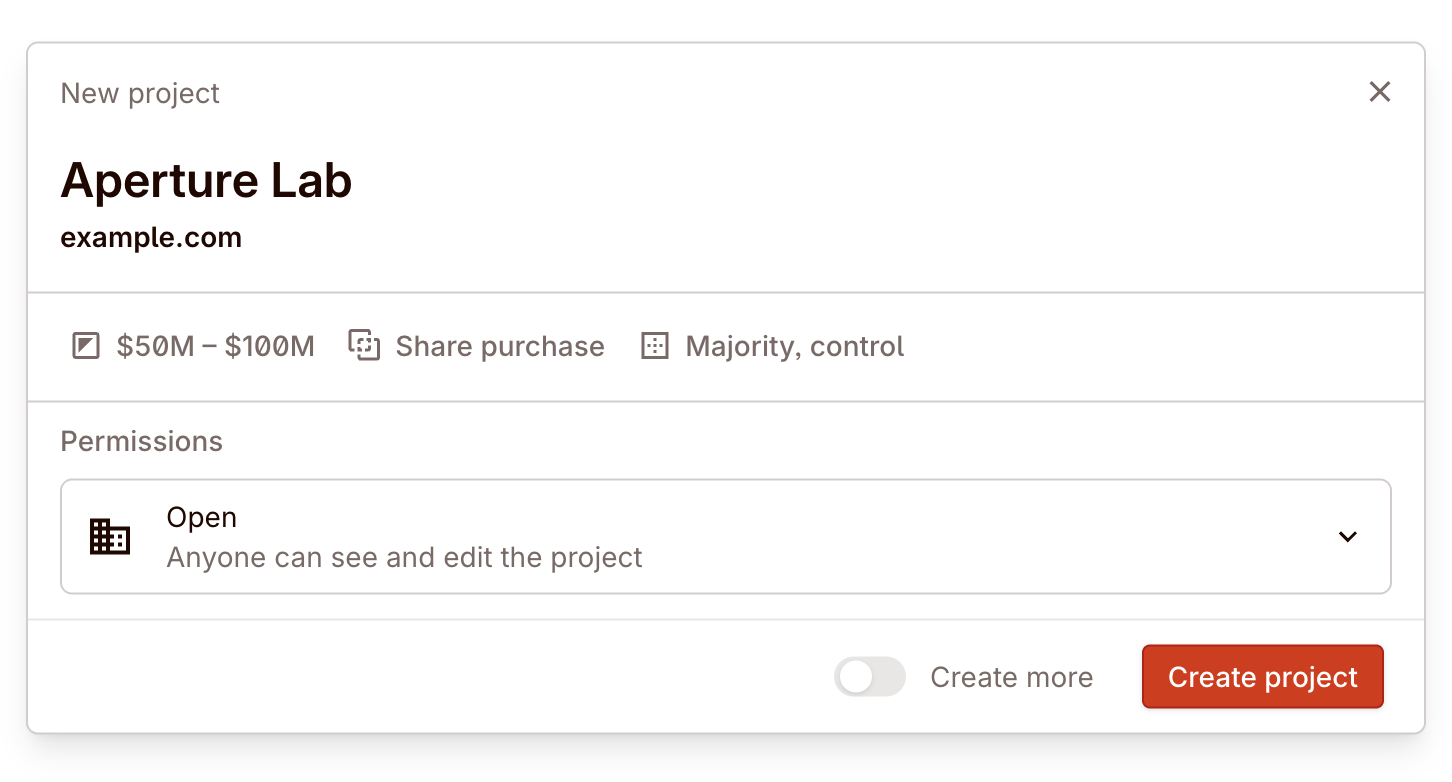
Create a project from the workspace view and give it a name that your team will recognise. This becomes the single surface where all diligence work for this transaction lives.
Set the deal boundary early
Real deal example: avoid a generic catch-all project
A team may have several active targets at once. Creating a clearly scoped project for each one is what keeps files, findings, requests, and reports from bleeding together across deals.
Deal metadata
Every project carries metadata that helps Colabra tune its analysis:
- Deal structure — stock purchase, asset purchase, merger, or other. This affects which extraction patterns matter most.
- Expected value — the deal-size range. This provides context for materiality thresholds and indemnity cap calculations.
- Control — full acquisition, majority control, minority control, or minority no-control. This gives Colabra the deal posture it needs when assessing consent, governance, and control-sensitive issues. For asset purchases, this control field is not shown.
Diligence guardrails
Guardrails are the settings that control what Colabra flags and what it ignores. They are the most important configuration you will set for a deal.
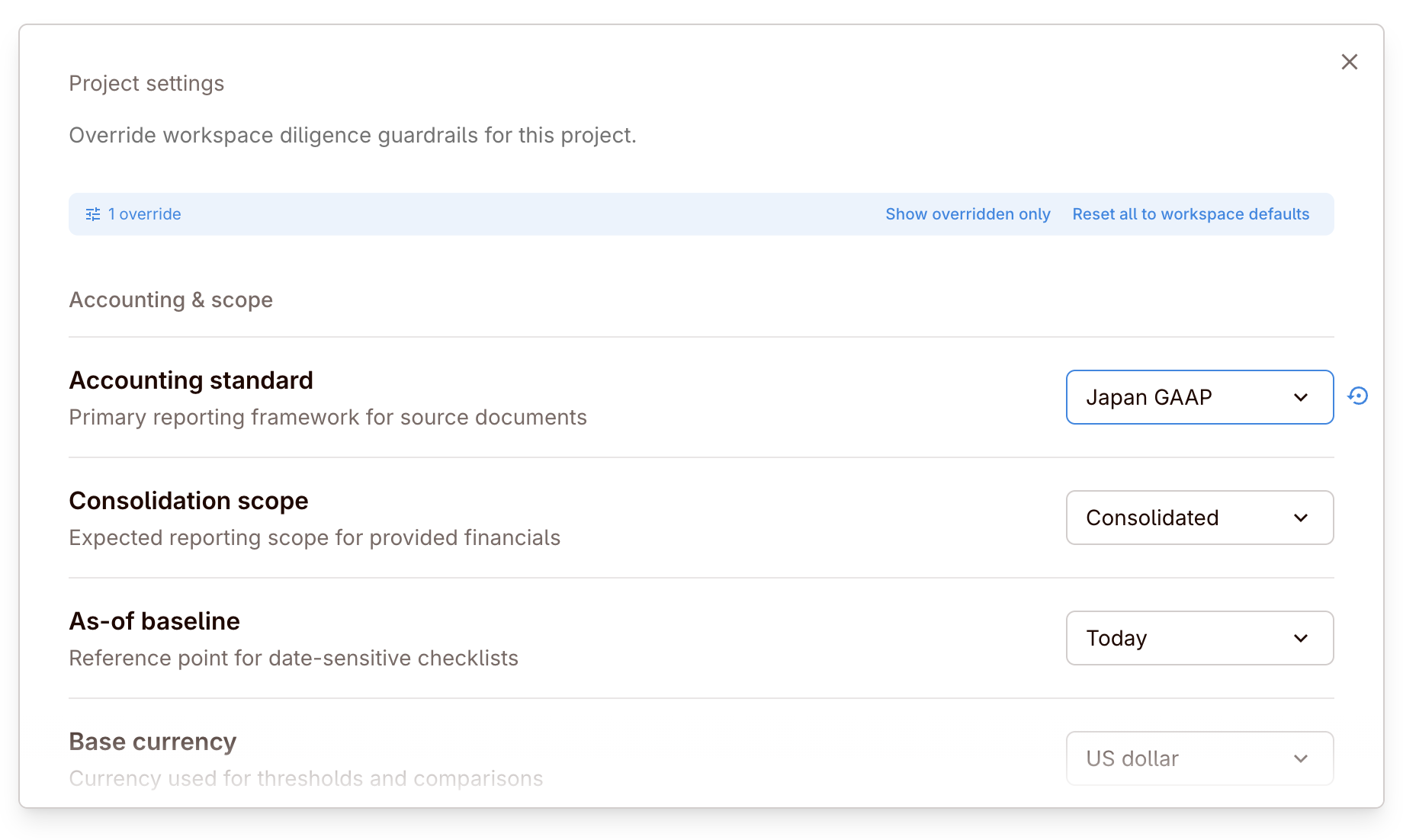
Set workspace defaults in Top-left menu -> Settings -> Diligence, then override them in a specific project from Project view three-dot menu -> Project settings.
Confirm these first:
- Materiality — what is too small to matter vs. what should surface as a finding.
- Jurisdiction and scrutiny — where the team wants extra review, sanctions checks, or buyer-specific sensitivity.
- Red-flag policy — how change-of-control, assignment, expiry, indemnity, and other contract issues should be treated.
- Financial thresholds — the QoE, ageing, and concentration rules that turn extracted numbers into meaningful signal.
Why guardrails matter
Without guardrails, every extracted clause, entity, and financial data point would be presented with equal weight. With guardrails, Colabra knows what your team considers material and what should be ignored, escalated, or tracked.
Workspace-level guardrails provide the default posture for new deals. Override them at the project level when a specific transaction needs different thresholds or scrutiny.
For the full setting model, see Diligence settings.