
External requests
Sending requests to sell-side or advisers
Diligence rarely ends at “flag found”. It usually becomes “ask the seller”, “confirm this threshold”, or “provide the missing schedule”.
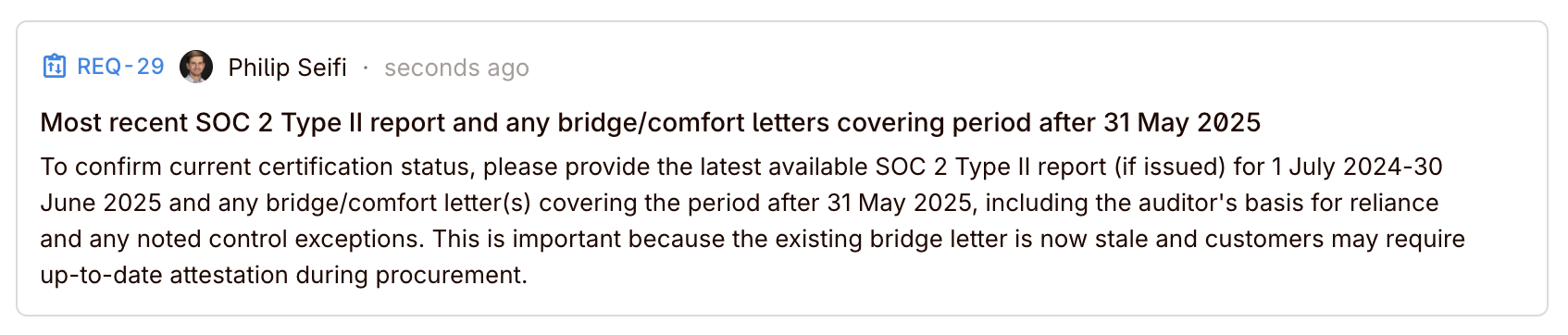
Requests are first-class objects in Colabra, tied to tasks. They exist because the step between identifying an issue and resolving it is where most deals lose time — questions get buried in email threads, responses arrive without context, and nobody can tell which items are still outstanding.
Create a request from a task when you need:
- A missing document from the sell-side.
- Clarification on a contractual provision.
- Confirmation of a financial figure.
- Additional evidence to support or refute a finding.
Each request starts with a root comment that frames the ask. The task context travels with it, so the recipient understands what prompted the question.
AI request generation
Colabra can draft requests for you from the task context instead of making you write each one from scratch.
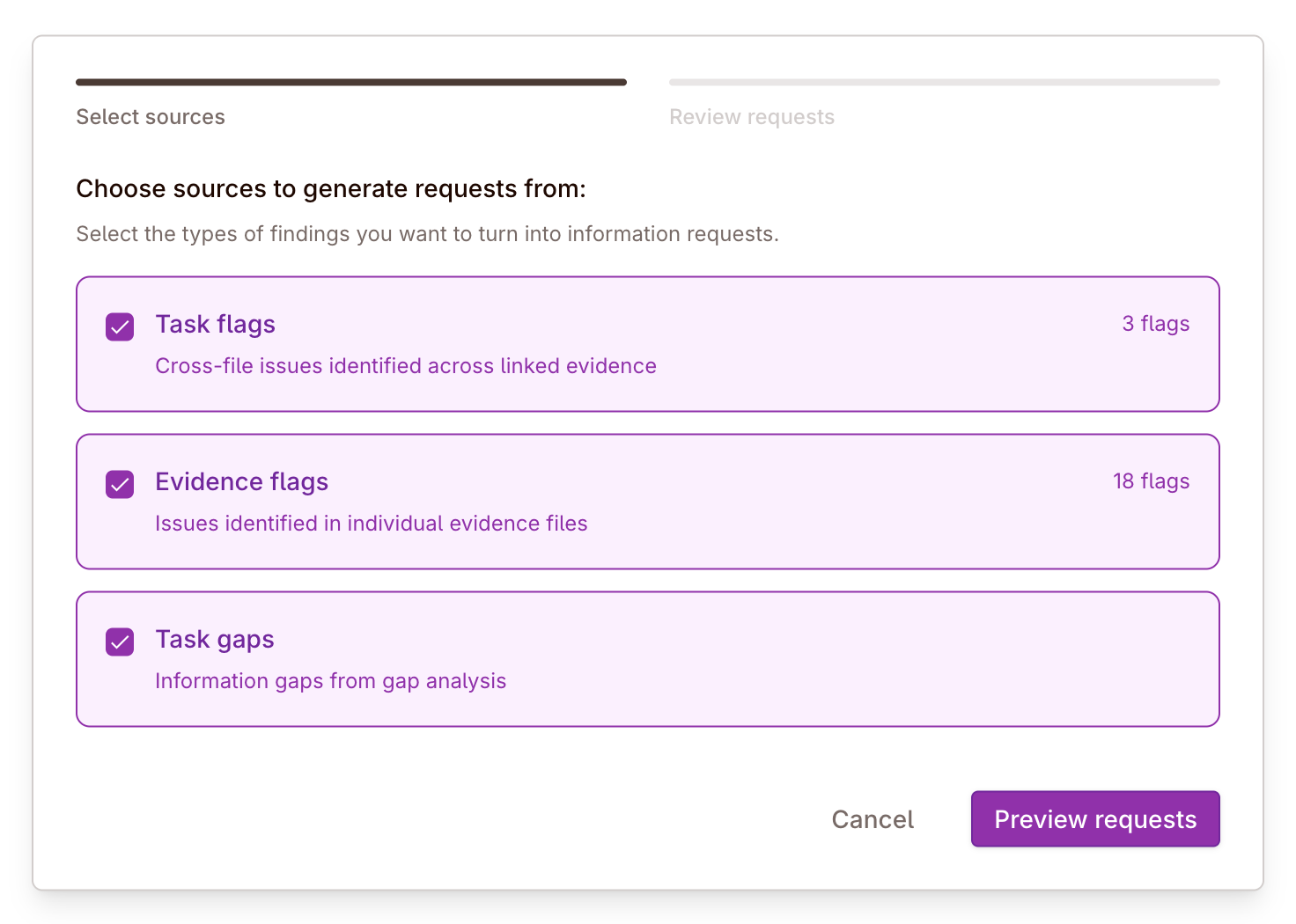
Step 1: Select sources
The wizard lets you choose which issue types should be turned into request candidates:
- Task flags for cross-file issues identified across linked evidence
- Evidence flags for issues identified in individual files
- Task gaps for missing-information or missing-evidence gaps from gap analysis
You can use one source category or combine them. If none are selected, the review step still lets you add a request manually.
Step 2: Review requests
After generation, the wizard moves to a review screen where the team can:
- edit the request title
- edit the request description/body
- remove generated requests that are not useful
- manually add additional requests
That matters because the wizard is for acceleration, not blind automation. The model gives you a first pass; the reviewer decides what is worth sending.
Generate the first draft, then tighten it
Real deal example: request drafting from task flags and gaps
A task may have several flags plus an open evidence gap. The AI can draft request candidates from those sources, but the reviewer should still sharpen them based on external context, and remove any request that does not belong in the seller-facing queue.
Shareable links
Requests can be shared externally via token-based links. This lets sell-side teams, legal advisers, or accountants respond without needing a full workspace account.
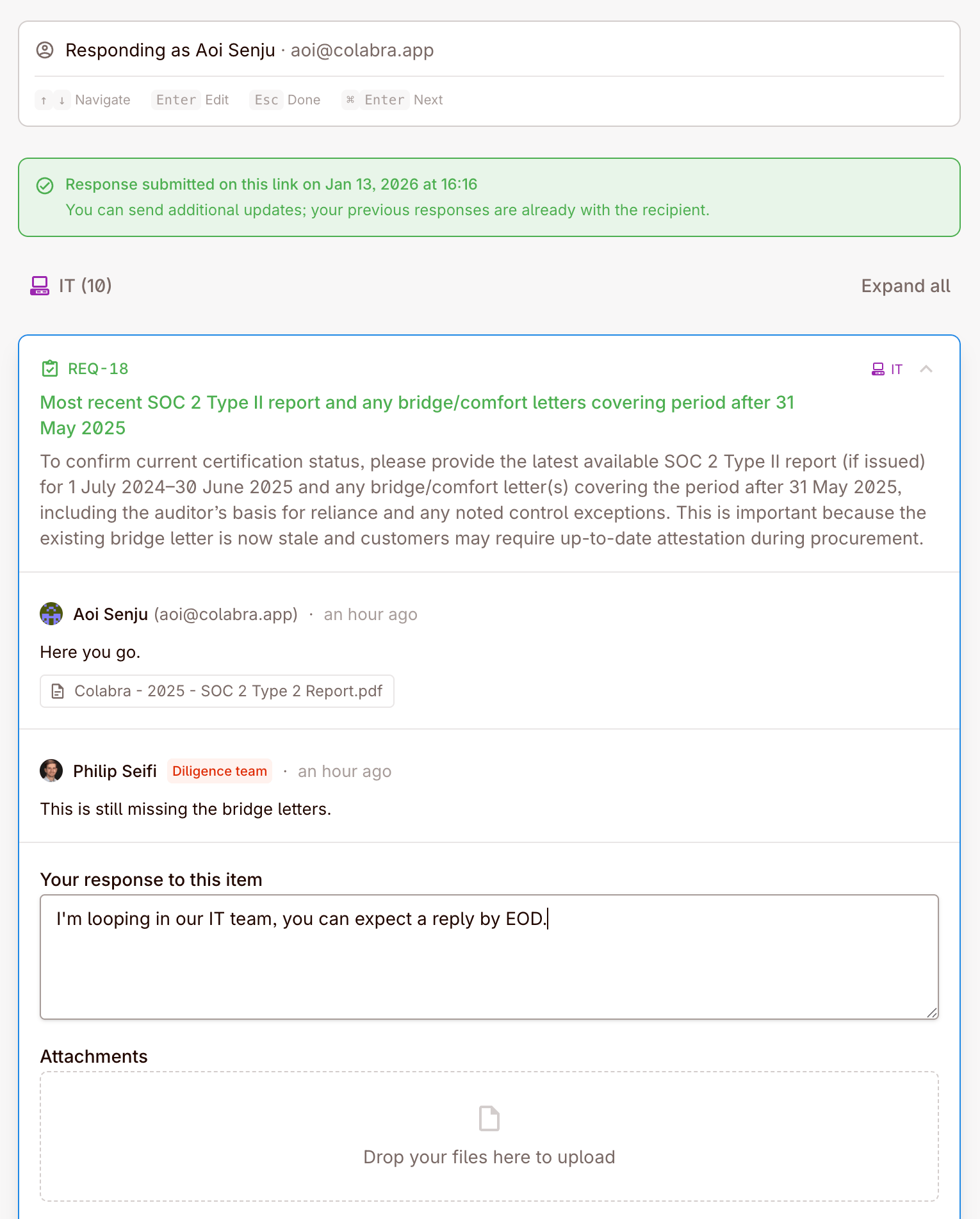
Colabra supports project request links: one external link that covers the open requests in a project.
When you create a link, you can configure:
- Scope by request category so the link only shows requests from selected workstreams.
- Text responses on or off.
- File uploads on or off.
- Descriptions visible to the recipient when you want to expose the full request context.
- Link name so the internal team can recognise the link later.
- Expiry with presets for 7, 30, 90 days, or no expiry.
- Password protection if the recipient should need a password before opening the link.
- Recipient note for instructions or context on the share page.
The shared link opens an identity gate first. Recipients provide their name and email, and a password if the link requires one. That information is used to attribute external responses back to the sender.
Links can also be:
- Revoked when you want to shut access off immediately.
- Restored if access should be reopened.
The list view shows whether a link is new, active, opened, expired, or revoked.
Tracking responses
Each request has a comment thread for resolution. Track:
| Status | What it means |
|---|---|
Open requests | Asks that have been sent but not yet answered. |
Responded requests | Asks where a response has been provided but not yet reviewed. |
Resolved requests | Asks that have been answered and accepted. |
External responses flow back into Colabra as request-thread activity, including attached files where uploads are allowed. That keeps the audit trail in one place rather than splitting the answer across email, drive folders, and side channels.
Requests can be listed by workspace, project, or task, making it easy to see the full picture of outstanding asks across a deal or across your entire portfolio.